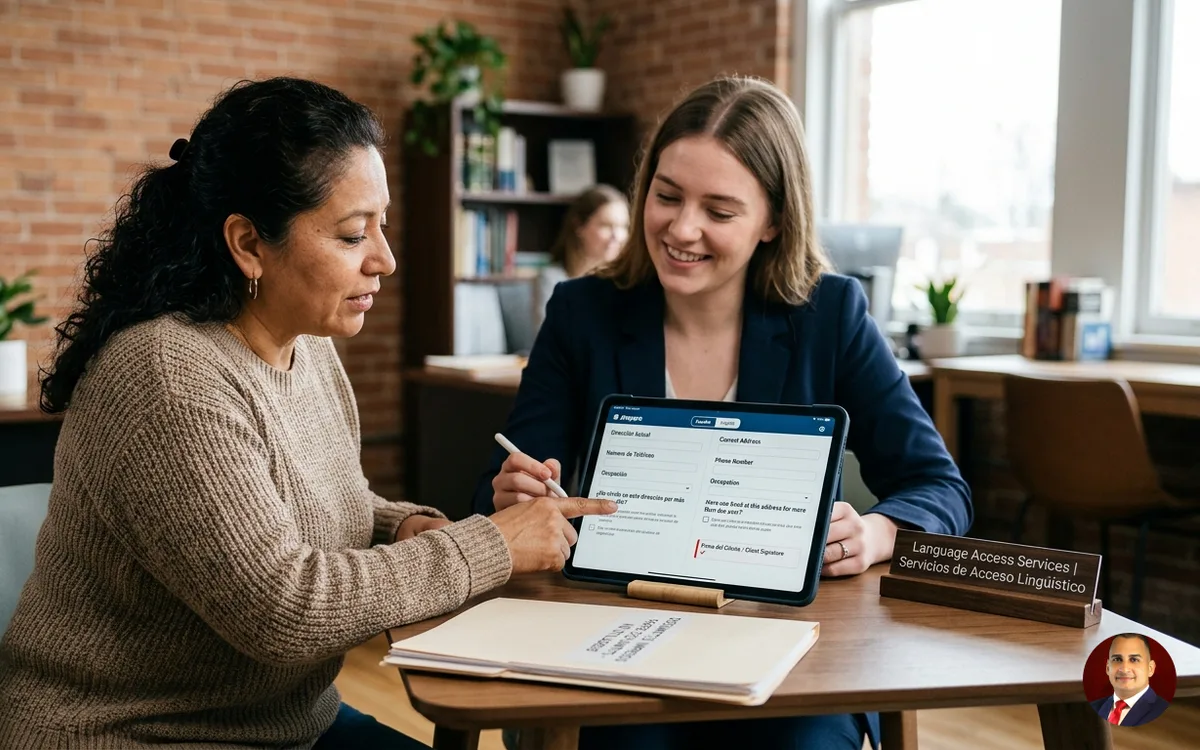
Your Spanish-speaking client signs a retainer in a conference room three blocks from the Stanley Mosk Courthouse, and she signs half of what she read. The intake coordinator translates the key paragraphs out loud because the portal only exists in English. Five weeks later, the client misses a filing deadline because the automated reminder went out in a language she doesn't read well. No partner at that firm ever sat down and decided this was acceptable. It happened by default — the way most firms make their biggest client-facing commitments, through whatever the practice management vendor shipped rather than through a decision anyone actually made. Nobody chose this on purpose; it's still a Strategy decision, just one that got made by accident.
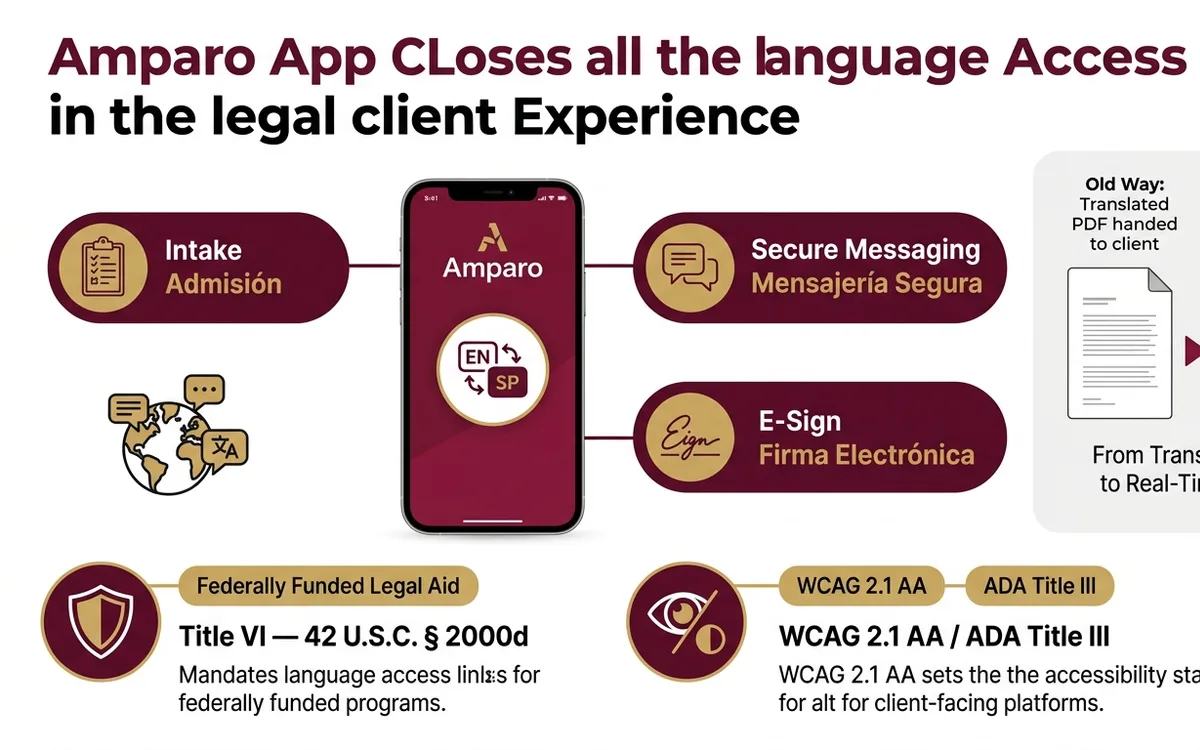
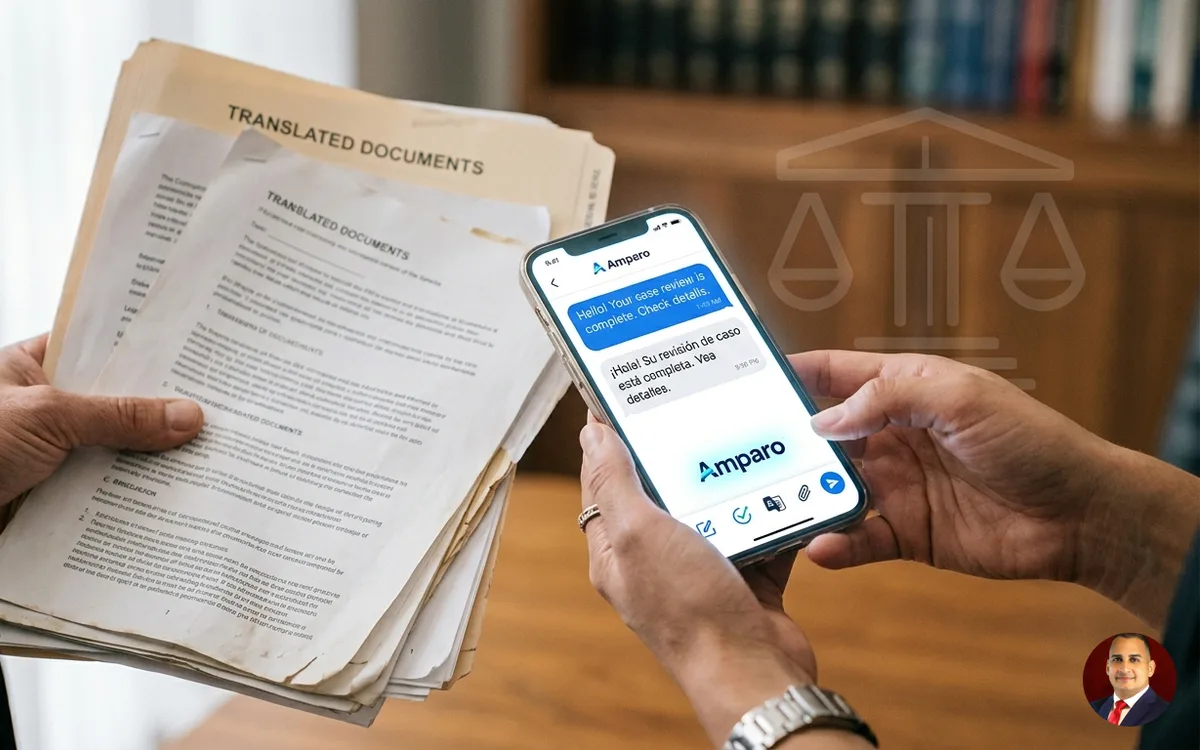
A bilingual client experience app lets law firms intake, message, and e-sign with clients in their own language instead of handing them translated PDFs. Title VI of the Civil Rights Act, 42 U.S.C. § 2000d, requires federally funded legal aid programs to provide language access, and WCAG 2.1 AA governs client-facing platform accessibility under ADA Title III.
The Hard Truth
The old assumption built into most case management software is that language access means hiring a bilingual paralegal for every language pair your clients speak, or paying a translation vendor per document. That math works for one language at maybe two hundred active matters. It stops working at four languages and eight hundred matters, so firms quietly pick one language, usually Spanish, and apologize to everyone else.
What AI changes is the arithmetic — the obligation to provide language access was already there. The cost of translating a client text message, an intake form, or a portal notice drops close to the cost of the API call itself, a fraction of what it costs to route that same message through a bilingual staff member's hourly rate. A nine-person firm can run live intake triage, appointment reminders, and e-signature flows in Spanish, Vietnamese, and Mandarin at the same time, without adding headcount for those specific tasks. The software doesn't speak a language better than a person does. What changed is that the per-message cost of offering five languages instead of one stopped being prohibitive for a firm your size.
Here's the honest pushback I hear from managing partners, and it deserves a real answer instead of a sales pitch: the client relationship with a Spanish-speaking or Vietnamese-speaking family often runs through one bicultural staff member who's been at the firm for a decade, and no software replicates that trust. That's correct, and the objection only breaks down about where the line sits. Nobody is proposing the app replace that staffer for the conversation where a client learns what's actually at stake in a custody hearing or a removal case. The objection holds for judgment calls and falls apart for repetitive, high-volume communication — appointment confirmations, document-status updates, intake FAQs — which is exactly the layer AI handles, leaving the staffer's actual job untouched.
What Happens If You Wait
Delay here isn't neutral. If your firm or a legal aid partner receives federal funding, Title VI of the Civil Rights Act, 42 U.S.C. § 2000d, already requires a language access plan — the Lau v. Nichols, 414 U.S. 563 (1974), line of cases is why state judiciaries built their own language-access plans in the first place, and an intake process that only works in English is the kind of gap a funding audit or a bar complaint will find.
On the court side, missing the interpreter request isn't a paperwork inconvenience. California's Judicial Council Form INT-300 has to be filed before a hearing when a client needs a certified interpreter, and a firm that didn't catch the language need during intake is the firm asking the court for a continuance the week of the hearing — which, at a calendar as busy as the one running through the Stanley Mosk Courthouse or the Richard J. Daley Center, can push a case out by months, not days.
There's a malpractice exposure most partners underweight: a client who e-signs a retainer agreement or a settlement release she didn't fully understand has a real argument that her consent wasn't informed. That argument gets much harder to make against your firm once you can produce a timestamped record showing the document was delivered, read, and signed in her stated language of preference. Without that record, you're litigating the credibility question from behind.
Step-by-Step Process
Firms that actually pull this off treat it as an execution decision with a sequence, not a software purchase. Here's that sequence:
One. Pull twelve months of intake data and find out which languages your clients actually speak — not which languages you assume. Most firms guess wrong about the second and third most common language in their own client base.
Two. Separate the two tiers of language access. Tier one is court-facing: anything requiring a NAJIT-certified interpreter under standards like California Rule of Court 2.890, or an INT-300 filing before a hearing. That tier stays human, credentialed, and on the record — the app's job ends at the courthouse door, whether that door is at Harris County Civil Courthouse, the Bronx County Hall of Justice, or Miami-Dade County Courthouse. Tier two is everything else: intake, scheduling, reminders, status updates, routine document delivery. That's where AI-assisted bilingual messaging does the actual work.
Three. Build the audit chain before you build the client-facing feature. Every message, consent form, and e-signature needs a timestamped record of what language it was delivered in, when the client opened it, and who signed it. This is the Witness function of the system: a signed record the system itself produces, ready for the moment a bar complaint, a Title VI audit, or a malpractice claim asks what the client actually received and understood. Skip this step and you've built a feature that looks good in a demo. Build it with the audit chain in place and you've built something your firm can hand a bar investigator.
Four. Pilot in one office, one language pair, sixty days. Measure adoption — how many clients actually use the portal in their stated language versus defaulting to a phone call — before you roll it to every office.
Five. Decide who holds the veto. Somebody on staff has to be able to pull an auto-translated document before it goes out if the machine translation got a legal term wrong. Name that person before launch, not after a complaint.
A Real-World Example
A composite worth walking through: a nine-attorney immigration and family-law practice outside Houston, serving a client base that's roughly sixty percent Spanish-speaking, decided to fix this the quarter after a missed INT-300 filing pushed a custody hearing at the Harris County Civil Courthouse back eleven weeks.
The first month went to the data pull — exporting twelve months of intake records to find out the firm actually had a meaningful Vietnamese-speaking client segment nobody had tracked, about nine percent of new matters. The second month went to drawing the line between court-facing and non-court-facing communication: custody hearings and USCIS interview prep stayed with the firm's two NAJIT-certified interpreter contractors; appointment reminders, intake triage, and document-status texts moved to the bilingual messaging layer.
The hardest part wasn't the software. It was migrating twelve hundred existing client contacts and retraining the front desk to stop defaulting to 'let me get someone who speaks Spanish' for routine scheduling questions the portal now handled directly. The firm ran the pilot in one office for sixty days, tracked how many Spanish-speaking and Vietnamese-speaking clients used the portal in their own language versus calling in anyway, and used that adoption number — not a satisfaction score — to decide whether to expand to the second office. The audit trail caught one real problem during the pilot: a machine-translated consent form used a term for 'guardianship' that didn't map cleanly to the Spanish legal term the firm's interpreter contractors use, exactly the kind of error the named veto-holder is supposed to catch before it reaches a client.
I'm William J. Vásquez. I have a BS in computer science, fifteen years practicing law, an M.Div., and seven years in the Air Force before any of that — none of which taught me how to run a business. I learned that the hard way, running a real law firm, the same year I discovered Scaling Up and realized most of my 'client service' decisions were actually unexamined Strategy decisions made by default. HODOS is the system I built because I wanted the tool I didn't have when a client sat in my waiting room holding a document she couldn't read.
Key Terms Explained
Title VI of the Civil Rights Act (42 U.S.C. § 2000d): federal law barring discrimination, including language-based discrimination, by programs receiving federal funding — the basis for most state court and legal aid language-access plans.
Lau v. Nichols, 414 U.S. 563 (1974): the Supreme Court case establishing that failing to address a language barrier can amount to discrimination under federal law, cited as the origin point for judiciary language-access planning.
California Rule of Court 2.890: the rule governing court interpreters in civil proceedings, including the requirement to verify an interpreter's qualifications before a hearing.
Judicial Council Form INT-300: the request/order form filed to secure a certified court interpreter for a hearing in California courts.
NAJIT Certified Court Interpreter: a credential from the National Association of Judiciary Interpreters and Translators verifying an interpreter meets the testing and ethics standards courts rely on for sworn proceedings.
WCAG 2.1 AA: the accessibility standard referenced by ADA Title III for client-facing digital platforms, covering things like screen-reader compatibility and color contrast.
Witness (Fifth Decision term): the signed, timestamped audit chain a system produces showing what was sent to a client, in what language, and when it was read or signed — the record you'd hand a bar investigator or a judge if someone asked what the client actually received.
Cash conversion cycle: the Scaling Up metric measuring how long cash is tied up between paying for work and collecting from the client — relevant here because client-communication delays, like missed signatures or stalled intake, stretch this cycle.
Frequently Asked Questions
Q: Does a bilingual client app satisfy Title VI language-access requirements on its own? A: No single app satisfies Title VI by itself. Title VI (42 U.S.C. § 2000d) requires a documented language access plan covering intake, forms, and interpretation for hearings — the app can cover the intake and communication layer, but court-facing matters still need a credentialed interpreter under rules like California Rule of Court 2.890.
Q: Can AI translation replace a NAJIT-certified court interpreter for a hearing? A: No. Courts require verified interpreter credentials for sworn proceedings, and a machine-translated transcript doesn't meet that standard. AI-assisted bilingual messaging is appropriate for intake, reminders, and document status, not for testimony or hearings.
Q: How is a bilingual client experience app different from using a translate widget on intake forms? A: A dedicated platform builds translation into the workflow itself — native-language labels, e-signature, and messaging — and logs a timestamped audit record of what was delivered and signed in which language. A translate widget bolted onto an English-only portal doesn't produce that record, which matters if a client later disputes what she understood.
Q: What does it cost a small or solo firm to add bilingual client communication? A: Cost varies by vendor and by how many languages and channels — SMS, portal, e-signature — a firm needs; ask any vendor, including HODOS, for a breakdown tied to your actual client volume rather than a flat number, since per-seat and per-message pricing differ.
Managing partners who've put HODOS's bilingual client communication module in front of their staff tend to bring up the same two things unprompted: the front desk stopped playing translation relay for routine scheduling calls, and the audit log turned into the first thing they pull up when a bar inquiry or an insurance adjuster asks what a client actually received. We don't quote a satisfaction score or a client-retention percentage here — we don't track the kind of number that would let us claim one, and a vendor claiming a win rate for client communication software should make you ask what exactly they're measuring.
None of this requires replacing the case management system you already run on. The question is narrower: does your current intake and communication layer actually match the languages your clients speak, or does it match the language the software happened to ship in. That's a question worth answering with your own twelve months of intake data before you sit through another vendor demo.
If you want to run that intake-language audit with someone who's built the audit-chain side of this, schedule a working session with our team to review HODOS's bilingual client experience module against your firm's actual client data — not a generic walkthrough, a session built around the languages and matter types you already handle. Bring last year's intake numbers. We'll tell you plainly where the gap is and what fixing it actually requires.
- HODOS Client Experience Platform Overview
- Scaling Up for Law Firms: The Four Decisions
- Request a HODOS Demo
- AI EDGE Resource Library